Easier with Bee · The Shared Christmas Plan
Love Christmas.
Share the load.
The Shared Christmas Plan · £19.99
Keep gifts, spending and plans in your private Christmas organiser. Give family jobs a clear owner, deadline and finish standard in a separate shared board. They do not synchronise. You move agreed job information manually.
I love Christmas, but I do not want to carry Christmas.

£19.99. One payment. No subscription. Digital files. You need a personal Google account to make your copies.
Available to buyers in the United Kingdom, United States, Canada, Australia and New Zealand. Payment is charged in GBP. If you pay in another currency, your bank converts the amount at its own rate. Files and instructions are in English.

The part of Christmas nobody sees
Christmas comes with a list nobody else can see. Who has been bought for, what has been paid, what is still owed, which dates are fixed, who promised to bring what.
When all of it lives in one head, asking for help rarely lightens it, because the remembering and the checking stay with you.
The Shared Christmas Plan gives that list somewhere to live outside your head.
Two separate files with different jobs
Private Christmas Organiser
Gifts, hiding places, spending, private notes, dates, hosting and plans for next year.
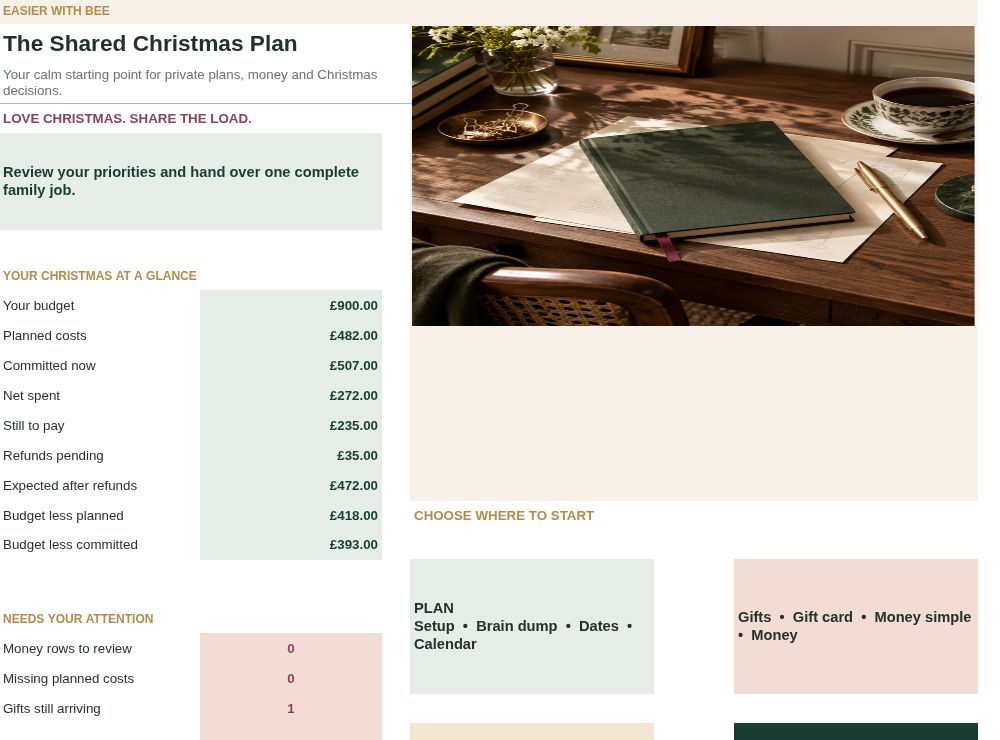
Keep this file Restricted. Do not put it in a shared family folder.
Family Jobs Board
Safe jobs, named owners, deadlines, instructions, acceptance, progress and problems.
Share only this file with named trusted editors. Everyone with access can see the whole board, including allowances.
The files do not automatically connect. Only information you deliberately enter into the family board is intended for the people using it.

Hand over a whole job, not a favour
Asking someone to help with the food often means you still decide what, how much, by when and whether it happened. Handing over the job means one person owns the whole result, and the board shows where it stands without you having to ask.
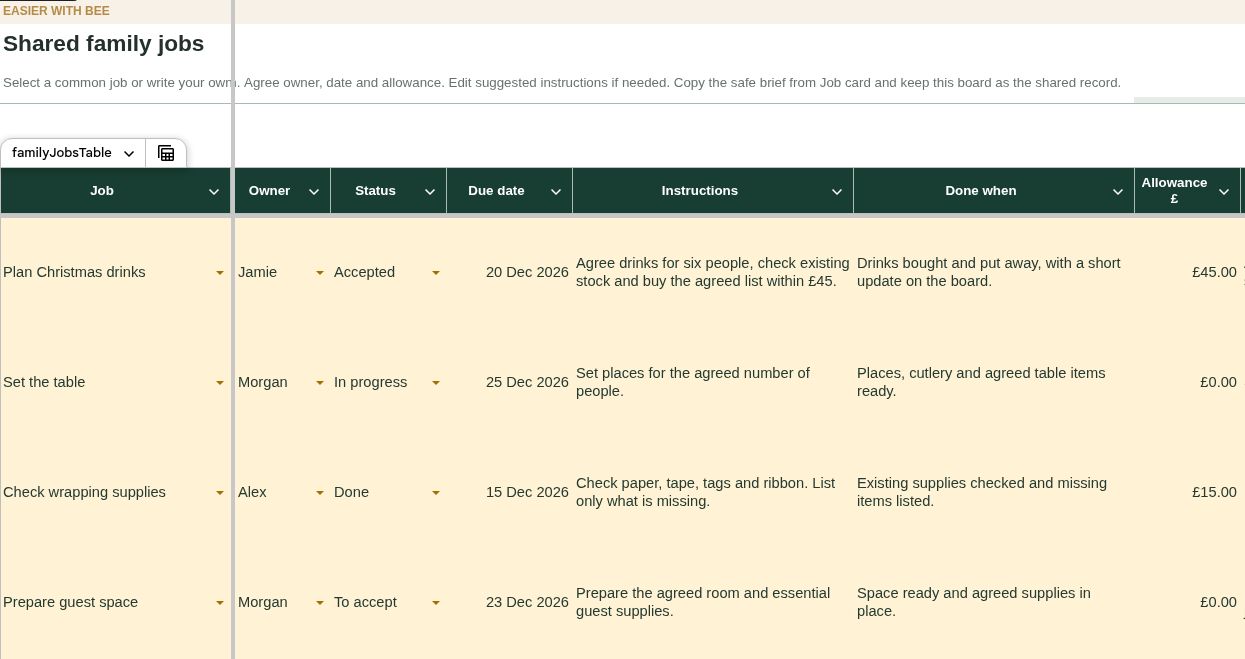
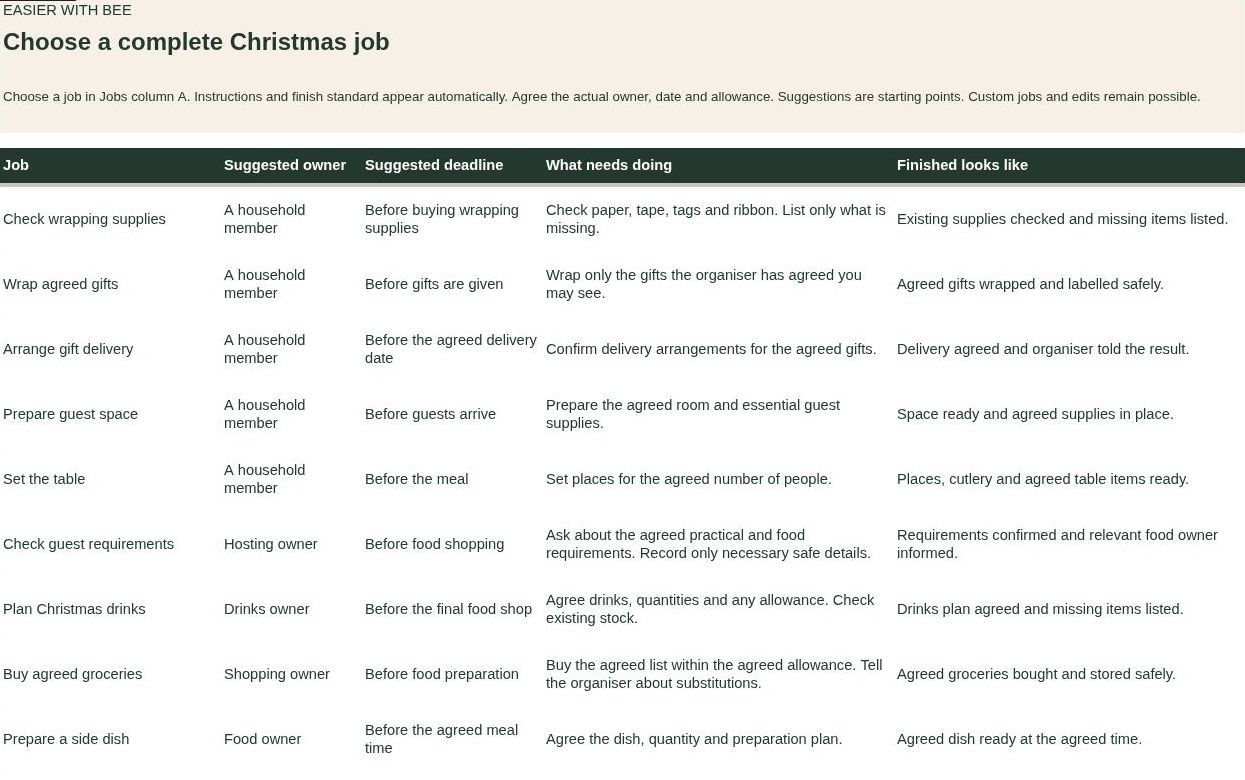
Start from one of the eighteen prepared jobs or write your own, then send it in a single message.
For a private gift errand, use safe instructions such as “Collect the sealed parcel using the code I sent you.” Leave the gift, its cost, hiding place and your private file link out of the board.
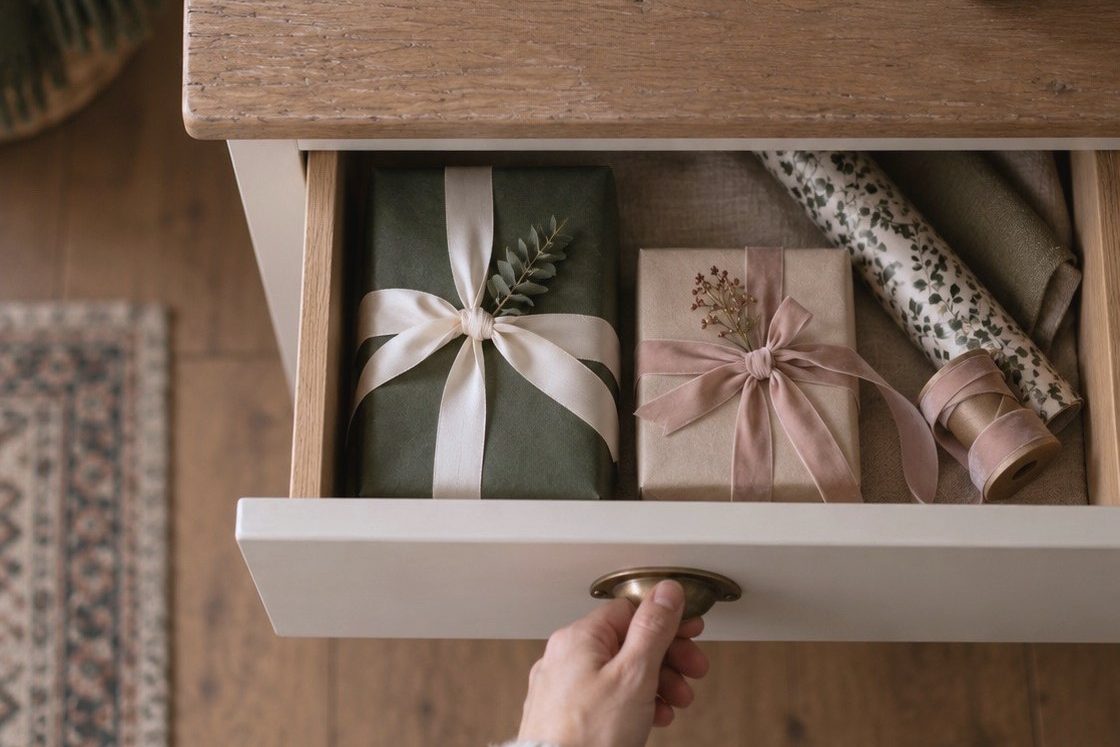
Keep surprises in the private organiser
Gifts, hiding places and private spending stay in the file only you open.

See what is paid and what is still owed
One clear picture of planned, paid and still owed, so the running total in your head finally has somewhere to sit. If you have paid a £30 deposit on a £100 order, it shows £70 still owed.
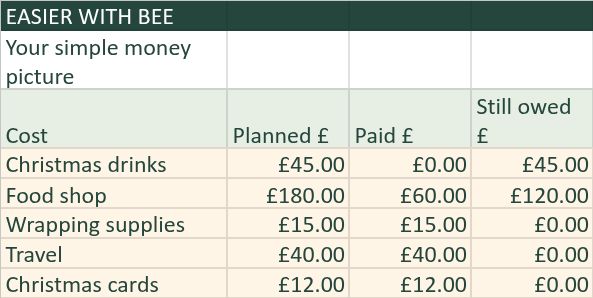
A refund you are expecting is not money back until it arrives, and the organiser treats it that way.
Your organiser highlights incomplete entries, so you know when a total is not yet reliable.

Yours to keep, and to reuse next year
One payment and no subscription. The files are yours to keep.
When you first set up, make a blank spare copy of each file. Next Christmas you can start from clean copies while this year's record stays private and intact.
Dates do not move forward on their own, and future editions are not promised.
What you get
The Private Christmas Organiser: gifts, hiding places, spending, dates, hosting and plans for next year, in one file that only you open.
The Family Jobs Board, with eighteen prepared Christmas jobs. Each comes with a suggested owner, a suggested deadline, instructions and a clear finish standard, ready to adjust or replace with your own.
A copyable job message for each job, to paste into WhatsApp or any messaging app.
The Customer Guide: setup, privacy, money, sharing and recovery in plain steps.
Excel recovery copies of both files, so you can always restore a clean template.
Three captioned demonstrations: Get started, Money and refunds, and Hand over a job.
A useful fit if you
- Are coordinating Christmas gifts, costs and several practical jobs.
- Want your gifts and private spending separate from household jobs.
- Are comfortable entering information into simple lists.
- Have a willing trusted helper for jobs you want to share, or want to begin with your own organisation.
They do not synchronise. You move agreed job information manually. Sharing a board does not guarantee that another person will take part.
This may not suit you if you
- Want a printable planner or a dedicated app.
- Need automatic reminders, bank connections, private gift reservations or automatic updates between files.
- Want someone else to plan Christmas for you.
- Already have a simple system that meets your needs, or only need a basic gift list.
Requirements and limitations
- This is a digital Google Sheets based Christmas organisation system. It is not an app and it is not a printable planner.
- A personal Google account is required to make your copies. You receive two separate files: the Private Christmas Organiser and the Family Jobs Board.
- You enter information manually. There are no automatic reminders, bank feeds, secret gift reservations or automatic synchronisation between the two files.
- Named trusted editors of your Family Jobs Board can see everything entered into that board, including allowances. Keep gifts, hiding places, private spending and your private organiser link out of it.
- The Excel files provided are recovery copies. Some detailed entry may be easier on a larger screen. The Gift card and Job card display information; you make changes in the original lists.
Questions before you buy
Will my family see my gifts or spending?
Keep your private organiser restricted and do not share it or place it in a shared folder. Share only your separate Family Jobs Board with people you choose. They can see everything in that board, including allowances. Hidden tabs and protected cells do not keep information confidential.
Do the two files update each other?
No. The private organiser and family jobs board are separate files. They do not synchronise. You move agreed job information manually. This separation protects gift privacy while keeping the family board as the shared record.
What do I receive?
Two separate Google Sheets files, the Customer Guide, two Excel recovery copies, three captioned demonstrations and the Personal Use Licence, through a members area you can return to.
Can I reuse it next Christmas?
Yes. Keep this year's file as your private record and start next Christmas from the blank spare copies you made at setup. Change the year and carry across only what is useful. Existing dates do not move automatically, and future editions are not promised.
Can I use it if I organise Christmas on my own?
Yes. The private organiser holds gifts, spending, dates and plans. Use the family board when you have a willing trusted helper. You can leave other modules unused.
Can I use it on my phone?
The compact Gift card and Job card help you read details vertically. Some input lists need sideways movement. Changes are made in the lists, and a larger screen can be easier for a long brief or several costs.
What if I close the access page?
Your delivery email contains the access route. Keep it. If you cannot find it, check junk or spam, then email hello@easierwithbee.co.uk with your purchase email address and order reference.
What if something goes wrong or I want a refund?
Contact hello@easierwithbee.co.uk for access problems, faults, refunds or complaints. There is no absolute no refunds rule. Where valid express consent, acknowledgement and confirmation were obtained, the fourteen day change of mind cancellation right ends when digital supply begins. Your rights if the product is faulty or not as described remain. We aim to give an initial response within three working days.

Bring your Christmas plans together
The Shared Christmas Plan
£19.99
One payment for the digital system. No subscription or instalments. Yours to keep.
Seller and purchase information
Legal seller: Bolabode Consulting & Media Ltd, trading as Easier with Bee. Registered in England and Wales, company number 16941557. Registered office: 61 Bridge Street, Kington, HR5 3DJ. Support: hello@easierwithbee.co.uk. We aim to give an initial response within three working days.